An executive reading a message on a smartphone beside an open laptop

WHATSAPP BUSINESS

WhatsApp replies, on your terms.

Customers message your WhatsApp Business number. Connect answers from approved knowledge and keeps every chat on the customer's record.

  • Signed webhooks; forged messages refused
  • Meta's templates and 24-hour window respected
  • Opt-outs honoured across channels

HOW IT WORKS

One chat, one customer

Each WhatsApp conversation is matched to the person behind it, so email, calls and chats read as one story.

  • Incoming messages are verified before they are stored
  • Replies wait for approval if your rules say so
  • Delivery and read statuses shown only when Meta reports them
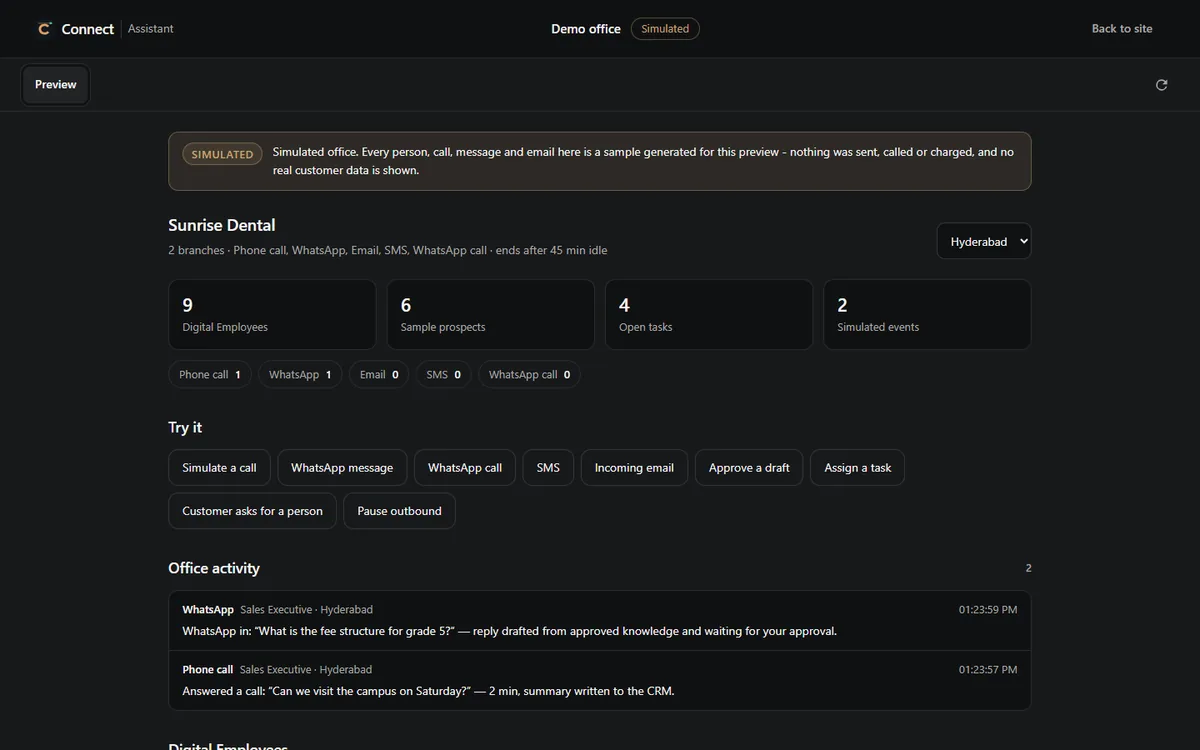
A simulated Connect demo office showing nine Employees, open tasks, buttons to try a call or message, and an office activity feed
A simulated demo office in the Connect Assistant: Employees, their open tasks and an activity feed. Sample data, labelled as such.

KEY FEATURES

Made for real conversations

Grounded replies

Answers come from your approved knowledge. Anything else is escalated.

Conversation continuity

A returning customer is recognised, with their history attached.

Template control

An unapproved template is refused before sending.

Opt-out respected

A customer who opts out is blocked across channels, not only on WhatsApp.

Follow-ups

Chats that need a next step join the follow-up queue.

Files from your workspace

Documents are sent from your own files, never generated.

USE CASE

An evening product question

  1. Customer asks

    "Is the 5-litre pack in stock at the Vizag branch?"

    whatsapp
  2. Right branch found

    The number belongs to the Vizag branch, so its employee answers.

  3. Answer from knowledge

    Stock policy comes from the branch's approved sources.

  4. Order intent noted

    The interest is recorded on the customer's timeline.

  5. Morning follow-up

    Sales gets a follow-up to confirm the order.

CONTROLS AND LIMITS

Meta's rules, shown plainly

Connect always

  • Uses the official WhatsApp Business Platform
  • Shows Meta's refusals with their reasons
  • Records consent and opt-out against the person

Connect does not

  • Create your WhatsApp Business account or submit templates for you
  • Work around the 24-hour messaging window
  • Run unofficial WhatsApp Web sessions

WORKS WITH

WhatsApp, connected

QUESTIONS

WhatsApp Business FAQ

Do I need a WhatsApp Business account?

Yes. Connect works with a number on the WhatsApp Business Platform that you own.

Can Connect message customers first?

Only with a template Meta has approved, and only when your rules and the customer's consent allow it.

What happens after 24 hours of silence?

Meta's window closes. Connect shows the refusal and does not try to get around it.

NEXT STEP

Bring WhatsApp into Connect.

We will check your number, templates and rules together before going live.

  • Your own business number
  • Official platform only
  • Opt-outs across channels