Office Manager
Give it a job in your own words; approve or decline what it proposes.
 ConnectBY JBRH
CONNECT BUSINESS
Brief an Office Manager the way you would a colleague, staff each job with an Employee, and watch the work in the Live Office, with every consequential step waiting for you.
How work moves
Every step is recorded.
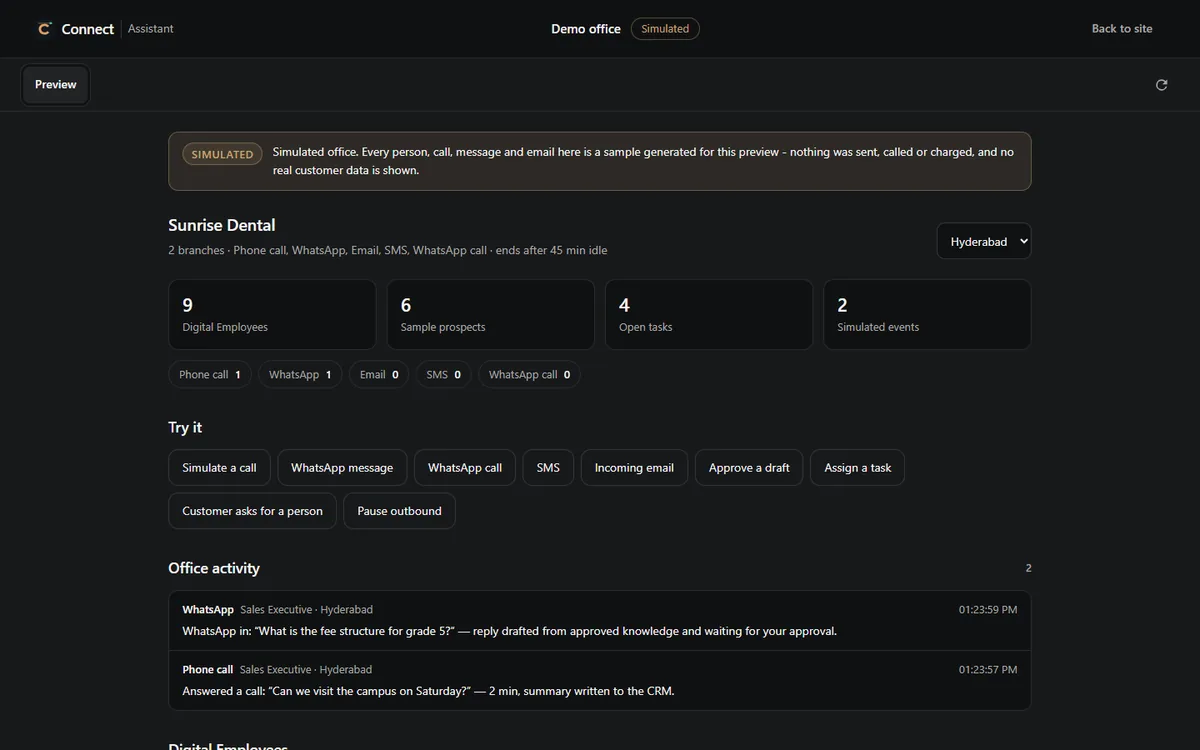
THE LIVE OFFICE
Work is grouped by state, with the actions each item allows and why the others are not available.
WHAT IS INCLUDED
Give it a job in your own words; approve or decline what it proposes.
Hire an employee for a job, choose who it works for, then pause, resume or switch it off.
Every employee's work by state, with the actions each item allows.
Work with a status and a priority from low to urgent.
The sources employees may answer from, and support cases with an owner.
Jobs that run every day, on weekdays, or on Mondays or Fridays.
HELP AND CONTROL
The assistant in the apps works as you, through the same checks as your own clicks. It asks you first before it sends, calls, deletes or spends.
JBRH can publish new defaults, such as a country's currency or suggested templates. They fill only what your business has not set.
WHY IT MATTERS
No flowchart to build before the Manager can help.
The Live Office is drawn from records, not a demo.
Any employee can be paused, and consequential steps wait for you.
A TYPICAL MORNING
"Which customers are waiting for a reply? Draft one for each."
The Manager finds the waiting conversations and drafts replies.
You approve some drafts and decline one.
The approved work moves through the Live Office.
You make it a weekday workflow.
USE CASES
Hand routine follow-up to the Manager and keep the decisions.
An employee per branch, all visible in one Live Office.
Scheduled workflows for the checks that are easy to forget.
PRICING
Connect Business plans are shown here once their prices are approved.
Or ₹24,990 a year.
Or ₹59,990 a year.
Or ₹1,49,990 a year.
Prices are in Indian rupees (INR), the currency every plan is charged in. Connect shows no converted prices. No GST is added at checkout: the price shown is the price you pay.
Limits, terms and every plan are on Pricing.
CONTROLS AND LIMITS
BUILT ON
QUESTIONS
An assistant you give jobs to in plain words. It works through Connect's own tools and stops for you before anything consequential.
No. Each one is an AI Digital Employee — an automated representative, not a person, with a job, and it always says so.
Yes. Pause, resume or switch off any employee from your Employees.
Each employee's work by state, taken from Connect's records, with the actions each item allows.
Connect Business is included in every Cloud Office plan - Cloud Office, Plus, Pro and Scale - with the plan's allowances; it is not sold on its own yet. See Pricing for the published plans and prices.
START
Create your account, hire your first Employee and give the Manager a job.